Add-on · Included in Pro Plus

Online events on Teams, Meet, YouTube and Facebook

Choose where an event happens and the meeting or broadcast is created for you, kept in step when you change the event, and opened only to the people who booked.

✓ Works without Events Manager Pro   ✓ Uses your own Microsoft, Google and Meta apps
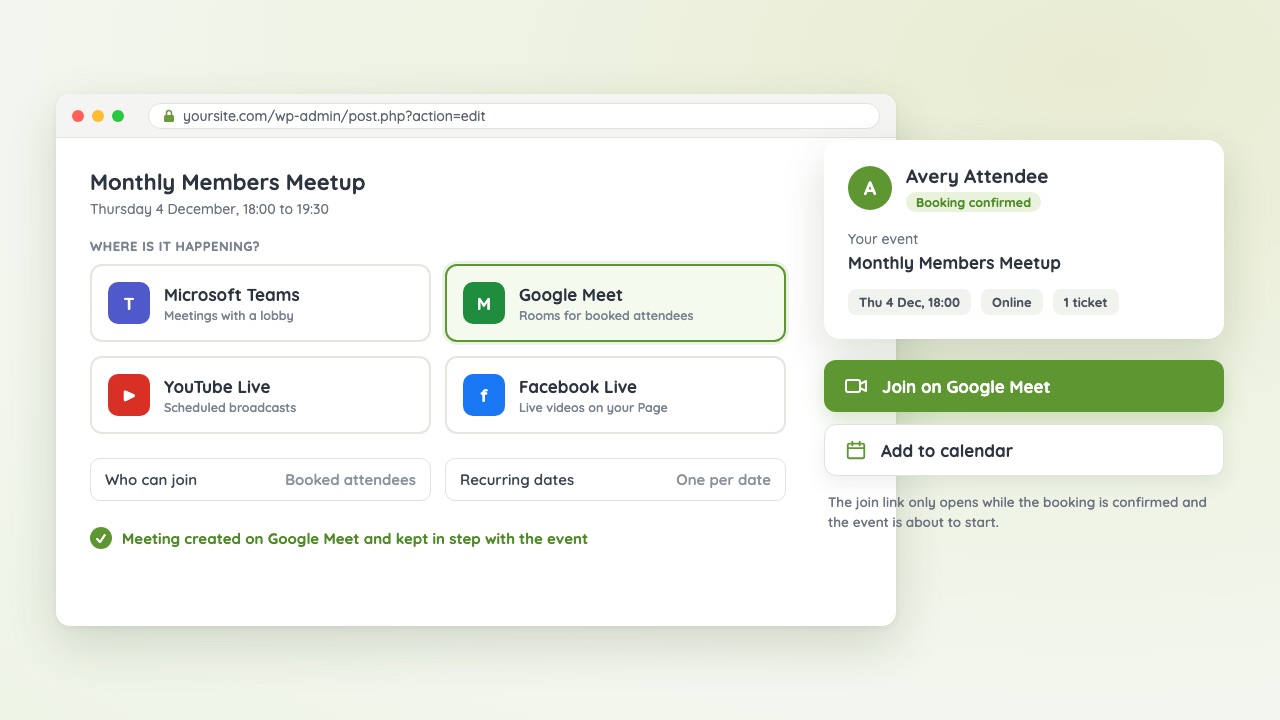
An event set to Google Meet in the editor, next to an attendee's Join on Google Meet button Video coming soon

Four platforms, one add-on

Each one becomes a location type you can pick when you edit an event, next to physical venues, URLs and Zoom.

T

Microsoft Teams

  • Meetings created for each event
  • Choose who skips the lobby and who can present
  • For work or school Microsoft 365 accounts
M

Google Meet

  • A meeting room per event or per date
  • Booked attendees added as members, so they join without knocking
  • Choose who can join directly
▶

YouTube Live

  • Scheduled broadcasts on your channel
  • One reusable stream key for all your events
  • Attendees can watch on your own site
f

Facebook Live

  • Scheduled live videos on your Page
  • Created once the event is within Facebook's 7-day window
  • Attendees can watch on your own site
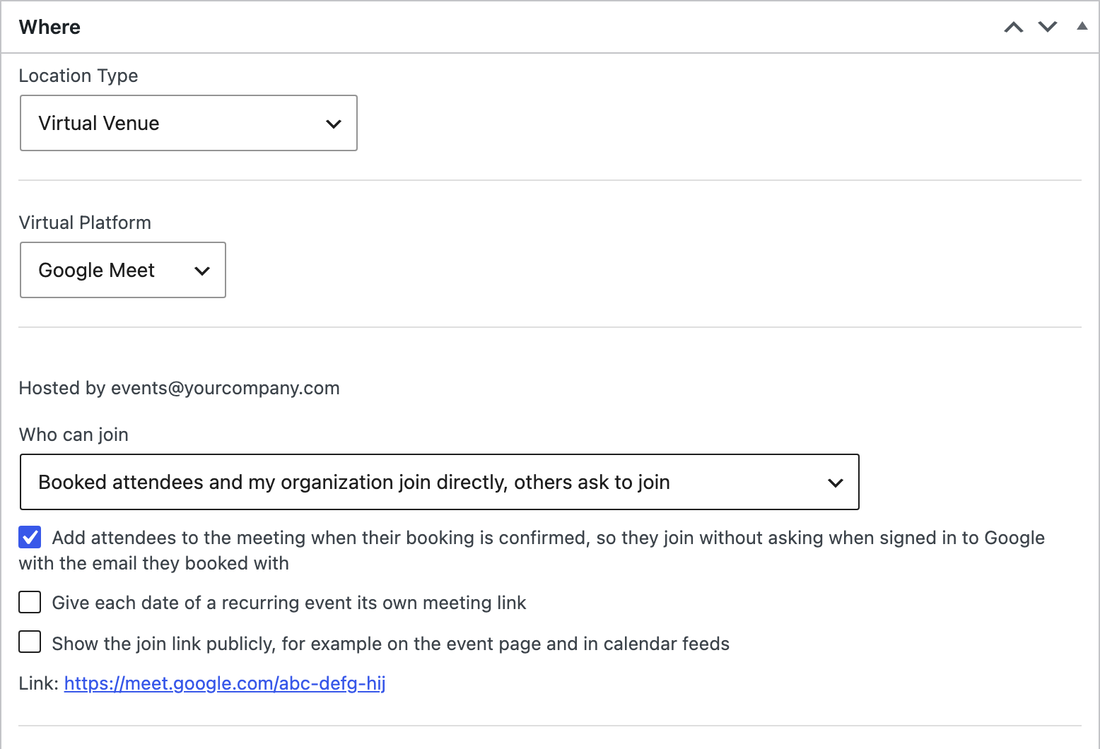
The event editor with Google Meet chosen as the location and its access settings

Pick the platform, the rest is done for you

Choose Teams, Google Meet, YouTube Live or Facebook Live as the event's location. The meeting or broadcast is created in the background, updated when you change the event's name, time or settings, and removed when you delete it.

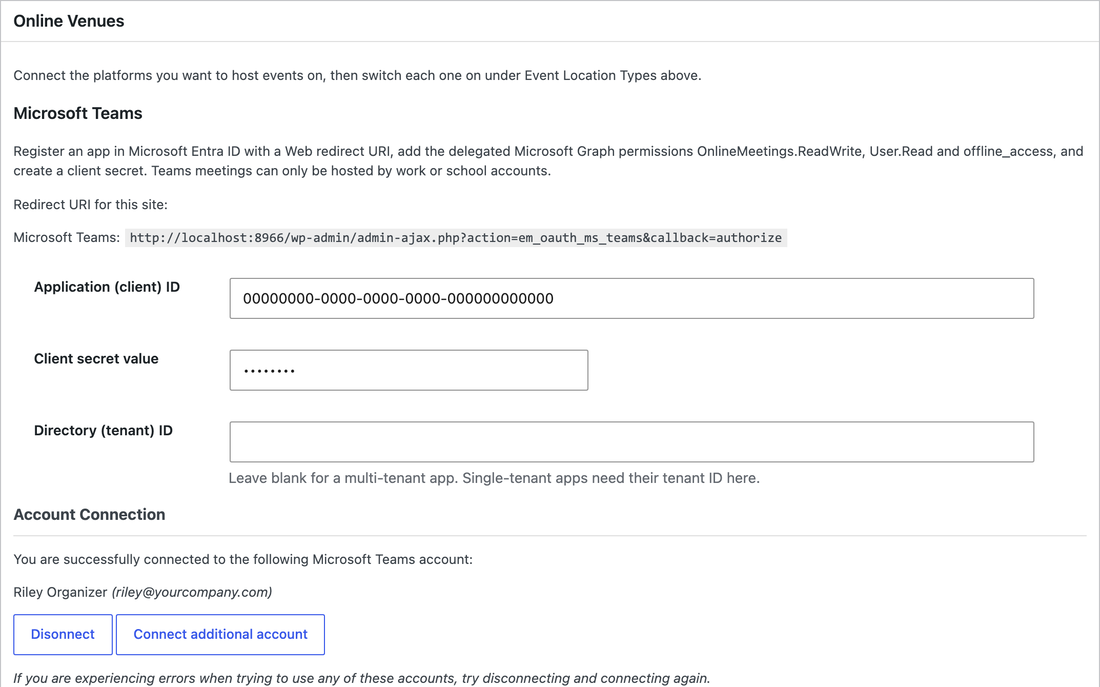
The Online Venues settings for Microsoft Teams with a connected account

Your accounts, your apps

Connect each platform once under Events → Settings, using apps you create in your own Microsoft, Google and Meta accounts. Several accounts or Pages can be connected and chosen per event.

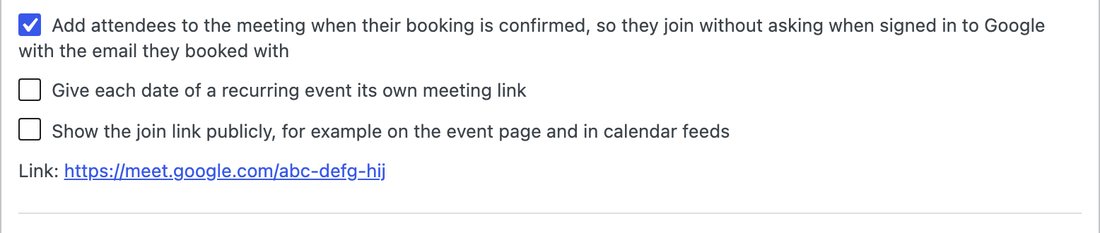
Recurring event settings offering one meeting for the series or one per date

Recurring events, your way

A weekly class can keep one Teams meeting or Meet room for the whole series, or get a fresh one for every date. Broadcasts get one per date.

Links for the people who booked

Attendees get their join link in their booking confirmation and in My Bookings. It goes through your own site first, so it only works while their booking is confirmed, and you choose whether a meeting link is ever shown publicly.

Up and running in three steps

1

Install Online Venues

Download it from your account and activate it on a site running Events Manager 7.5 or later.

2

Connect your platforms

Create an app with Microsoft, Google or Meta and connect it under Events → Settings. The setup guide walks you through each one.

3

Choose it as the location

Pick the platform when you edit an event, turn on bookings, and the join link goes out with each confirmation.

Get Online Venues

Buy it on its own for any site running Events Manager, or get it with Pro Plus along with every other add-on.

What you need

  • Events Manager 7.5 or later. Events Manager Pro is optional.
  • Teams: a Microsoft 365 work or school account.
  • Google Meet and YouTube Live: a Google account, with live streaming switched on for your YouTube channel.
  • Facebook Live: a Page you manage, and a Meta app approved for the Live Video API.

Events Manager Online Venues

$49 $39 / year Save 21%

  • Works with the free Events Manager plugin. Pro not required.
  • 1 year of updates and support. Renews yearly when paid by card, and you can cancel any time from your account.

Want everything? Pro Plus includes Pro and every add-on sold here. Already on Pro Plus? Online Venues is included for the sites your license covers.

Common questions

Do I need Events Manager Pro?

No. Online Venues works with the free Events Manager plugin. With Pro you can also sell paid tickets and use attendee forms.

Is it included in Pro Plus?

Yes. Pro Plus customers generate an Online Venues license key from their account, and it works on sites that don't run Events Manager Pro too.

Why do I need my own Microsoft, Google or Meta app?

Meetings and broadcasts are created in your own accounts, so the platform's terms, limits and recordings stay between you and that platform. The setup guide covers creating each app.

Does it work with Zoom?

Zoom has its own add-on, Zoom Pro, and the free Events Manager Zoom plugin. You can run them alongside Online Venues.

What does Facebook need?

A Page you manage, and a Meta app that Meta has approved for the Live Video API. Until it's approved, Facebook refuses to schedule live videos and the event shows that reason.