We’ve just released Events Manager 7.3.7.1 and Events Manager Pro 3.8.5. This one brings a security fix worth taking promptly, a new way to edit your events, the first piece of a mobile app we’ve been wanting to build, and a good round of fixes. The full changelogs are at the bottom of this post.
Please update: a security fix
7.3.7.1 fixes three security issues responsibly disclosed to us by Jakub Herman: an unauthenticated object injection through booking meta data, SQL injection in some of our slug lookups, and a booking summary that could be read without the right permissions. They affected 7.3.6 and earlier. There’s no cause for alarm, but we do recommend updating promptly, particularly if your site takes bookings from the public. Our thanks to Jakub for reporting these the right way.
A new way to edit your events
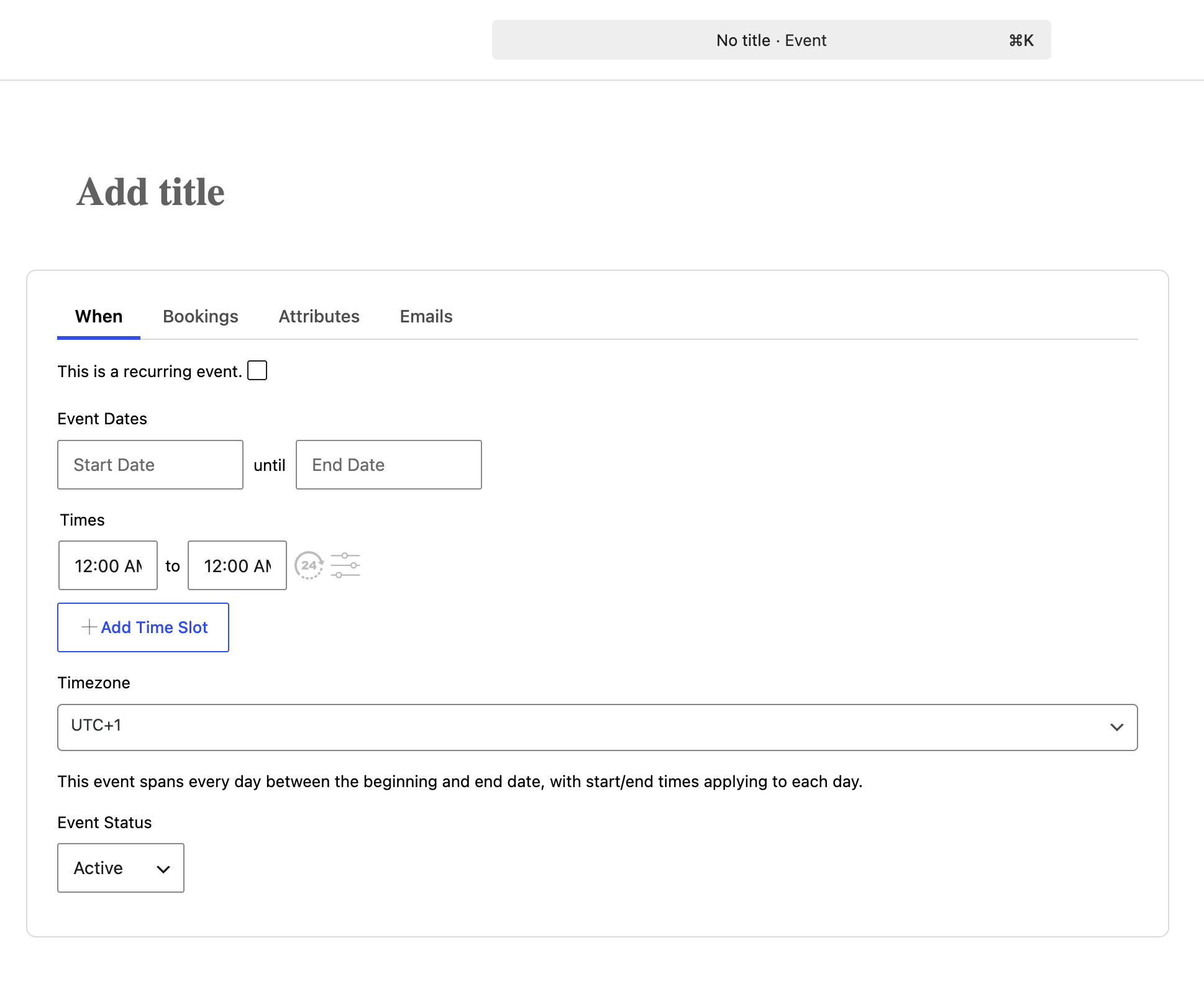
The block editor now has a proper home for your event details: a tidy, tabbed canvas in place of the old column of separate boxes, with three layouts to choose from. Events Manager Pro 3.8.5 plugs straight into it, adding your Custom Automated Emails as an Emails tab. Documentation soon to follow!
A mobile app is on the way here!
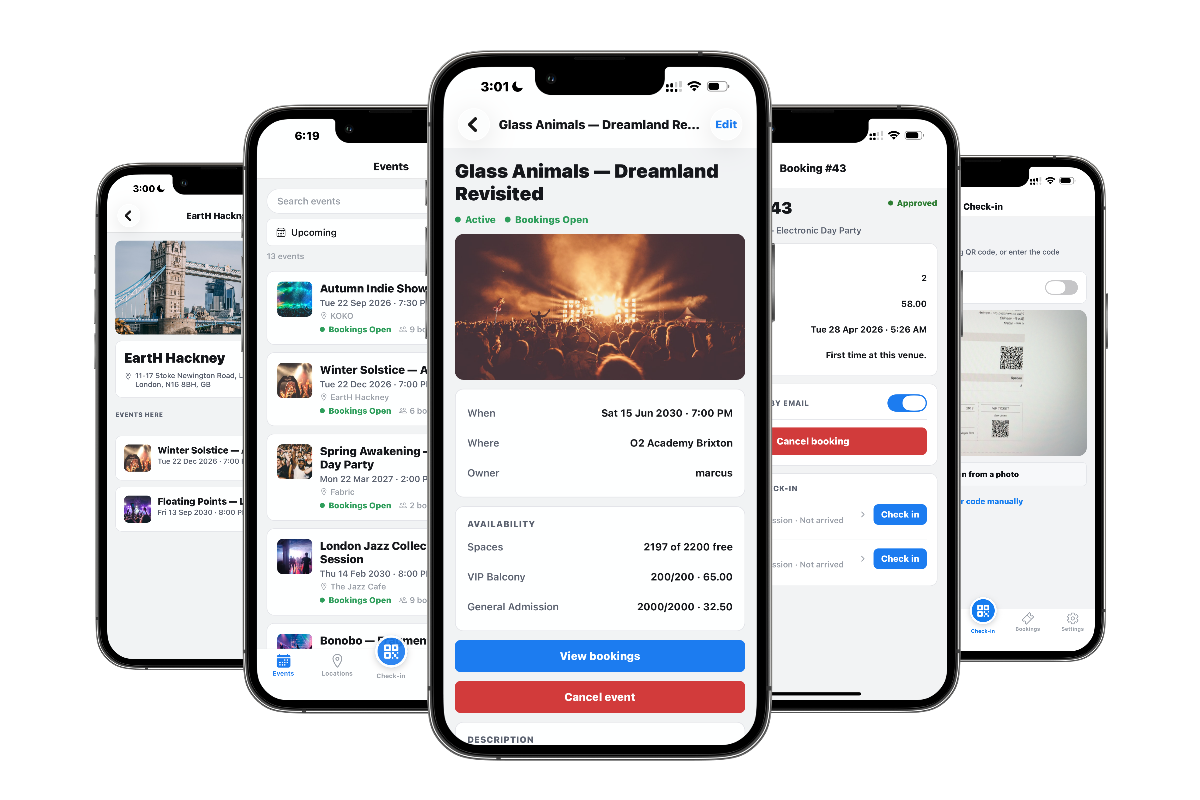
Edit: The app is now available on the Apple App Store, see our product page for links and info.
We’re building an Events Manager mobile app, and the first piece ships in 7.3.7.1: a push notification framework in core. When the app lands, you’ll be able to get a notification on your phone when a booking comes in, when one is cancelled, or when an event is submitted for review. Announcement post on the way!
REST API: recurring events and timeslots
7.3.7.1 adds read and write support for recurring events and timeslots, two of the trickier parts of Events Manager to handle through the API. Handy if you run a headless site, build integrations, or manage your calendar through our MCP support.
Pro: Custom Automated Emails in the block editor
Events Manager Pro 3.8.5 brings your Custom Automated Emails into the block editor as a dedicated Emails tab, to match the new core editor. On older versions of core they stay as a normal panel, so nothing breaks if you haven’t updated both.
Changelog
Events Manager 7.3.7.1
- Added: Push notification framework for the upcoming Events Manager mobile app: device registration, per-notification-type controls, and a settings UI.
- Added: Block editor Event Details canvas panel with tabbed When and Bookings sections; canvas, tabbed and stacked layout setting; namespaced
EM\Editortab system for event and location editors; the EM runtime now loads inside the canvas iframe with full admin CSS and recurrence support. - Added: REST API recurring-event and timeslot read/write support.
- Security: Fixed unauthenticated object injection via booking meta, SQL injection in iCal, feed and permalink slug lookups, and unauthenticated booking summary disclosure. Reported by Jakub Herman. We recommend updating.
- Fixed: PHP 8.x infinite loop in the multi-day calendar slot allocator when two events overlap on the same day.
- Fixed: WordPress 6.7+ “translation triggered too early” debug notice; API consent-scope now registers on
initinstead ofplugins_loaded. - Fixed: Fatal
array_intersect()error on the Bookings list when sorted by a single column. - Fixed: Fatal “Cannot access offset of type string on string” on settings save when
dbem_datawas corrupted to a plain string. - Fixed: Booked seat and ticket counts showed as 0 throughout the admin due to an inverted condition.
- Fixed: “Limit CSS loading” setting ignored since 7.3; the stylesheet was enqueued on every front-end page regardless of the setting.
- Fixed: Fatal “Cannot redeclare em_admin_ms_locations()” on multisite subsite admin.
- Fixed: Recurrence reschedule button and double timeslot bug in the block canvas.
Events Manager Pro 3.8.5
- Added: Custom Automated Emails now appear as a dedicated “Emails” tab in the block (Gutenberg) event editor. Pairs with Events Manager 7.3.7.1; on older core they remain a normal metabox.
- Fixed: Selecting a custom booking or attendee form when creating an event via the REST/MCP API could be wrongly rejected as “Bookings must be enabled”, even when the request enabled bookings.