We’re back with Events Manager 7.3.3 and Events Manager Pro 3.8.2 — a follow-up to the big 7.3 release, and one that mostly goes about refining the things we shipped last time. There’s some nice calendar and REST API additions in here too.
A much smoother AI experience
When we introduced the MCP (Model Context Protocol) connector in 7.3, it authenticated using OAuth tokens. It worked, but in practice those tokens were prone to timing out mid-conversation — which is exactly the moment you don’t want your AI assistant losing its connection to your site.
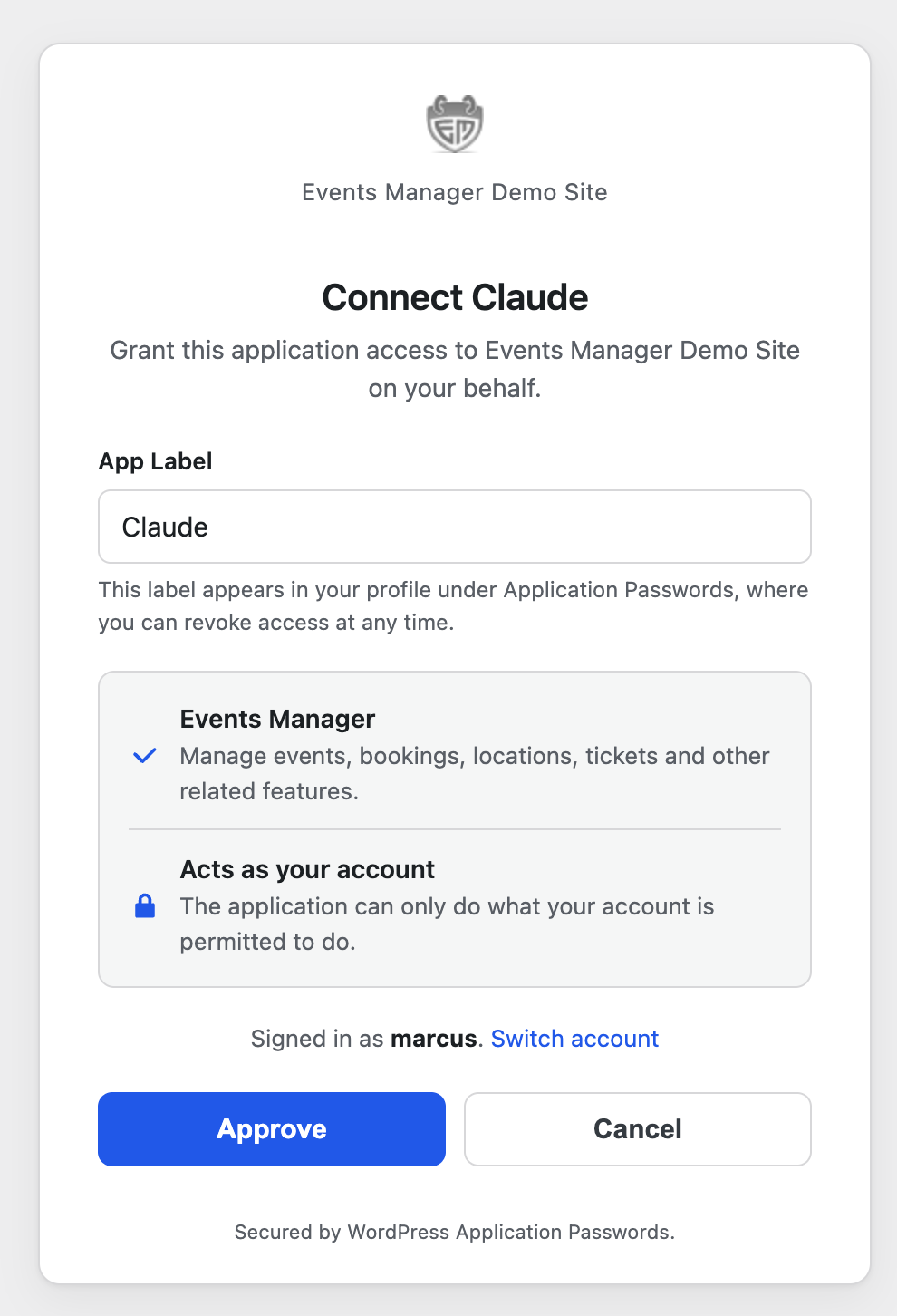
So we’ve reworked the whole thing to use WordPress application passwords instead. They’re built into WordPress core, they don’t expire out from under you, and they’re far simpler to set up. The upshot is that connecting an AI agent to your events is now more reliable and a good deal less fiddly. If you tried the MCP connector when 7.3 landed and found it temperamental, this is the update that fixes that for you.
Pro users get a nice bonus here as well: your Pro features are now exposed to the MCP server too. That means an AI agent can work with custom booking forms, coupons, gateways and the rest through the same authenticated connection as the core features — no separate setup, it just appears once both plugins are up to date.
“Add a 20% early-bird coupon to my summer workshop and email me the booking link” — the kind of thing an assistant can now actually do end to end.
A growing REST API
We’ve also kept building out the REST API, which is the foundation everything else (including the AI layer) sits on top of:
- Featured images for events and locations, both reading and writing, plus a dedicated media upload endpoint.
- Event categories and tags now carry their colour and image through the API.
- Location geo-discovery endpoints — pull back the countries, regions, states and towns you actually have events in, rather than guessing.
- Smarter booking queries — you can now filter
/bookingsby location (country, region, state, town, or near a point) and by event date, so headless and integration setups can ask much more precise questions.
None of this is something you’ll trip over in day-to-day use, but if you’re building anything custom on top of Events Manager, there’s a lot more to work with now.
Calendar dots
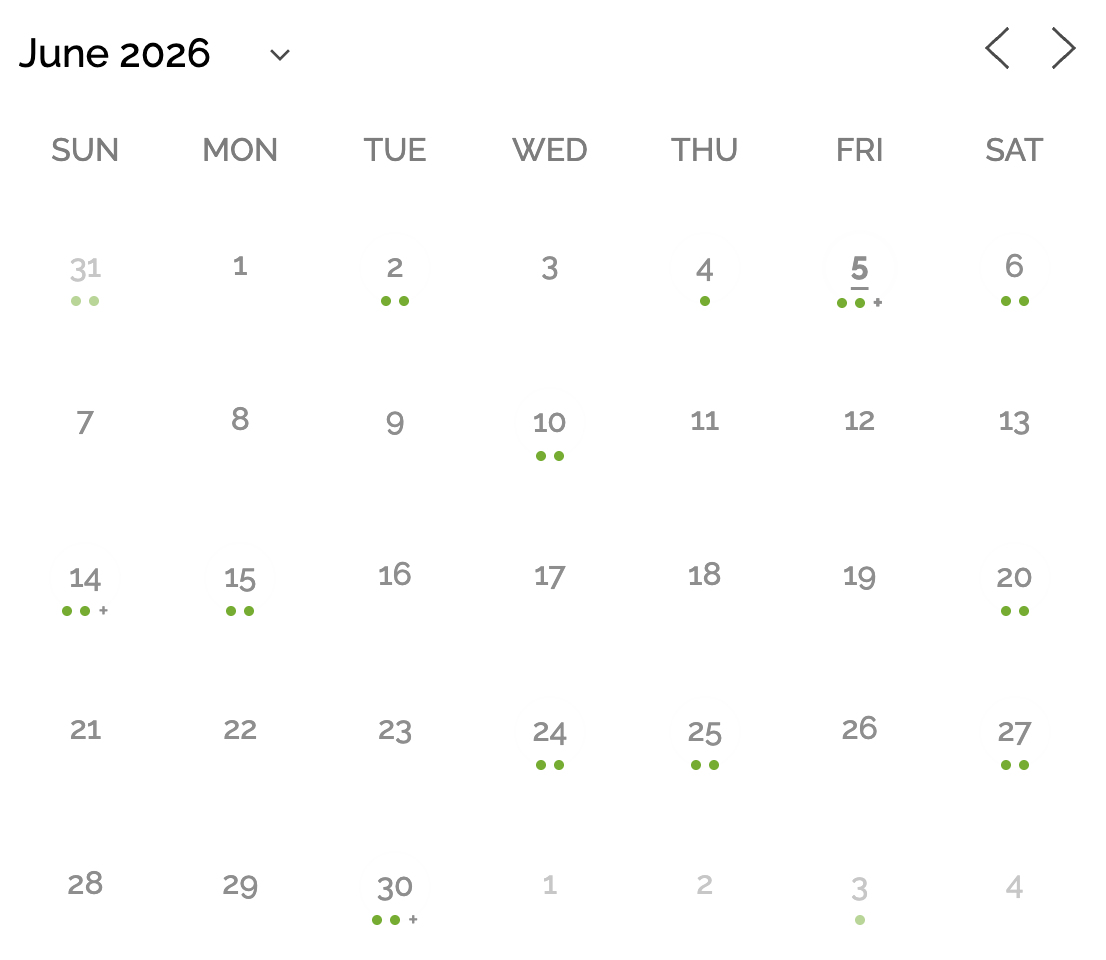
On the front-end side, the calendar gets a new dots style. Instead of cramming event titles into each day, you can mark days with coloured dots — much tidier on busy months — and set a per-day limit so a single popular day doesn’t blow out your layout. It’s all there as a style choice in the Events Calendar block, so you can mix and match to taste.
More to come!
We have a lot in the pipeline, we’re excited to follow-up very soon with more announcements!
Changelog
Events Manager 7.3.3
- Added: Calendar “dots” style — events can now be marked with coloured dots instead of (or alongside) titles, with a style choice and a per-day event limit exposed in the Events Calendar block.
- Added: REST API support for featured images on events and locations (input and output), a media upload endpoint and ability, and term colour + image on event categories/tags.
- Added: Location geo-discovery REST endpoints (countries, regions, states, towns) and an
upcoming_events_countfield on the location response. - Added: REST
/bookingsnow accepts location filters (country/region/state/town/near) and ascopeparameter to filter bookings by event date. - Added: MCP
get-booking-requirementsnow returns per-field validation metadata with country-tuned phone examples, so AI agents can pre-validate bookings. - Tweaked: The recurring-booking calendar picker now respects the configured default calendar style.
- Tweaked: Improved the MCP experience for AI agents — authentication now uses WordPress application passwords instead of timeout-prone OAuth tokens, with native-app support, and the MCP server now exposes Pro and other add-on abilities alongside core’s.
Events Manager Pro 3.8.2
- Added: Pro abilities (custom forms, coupons, gateways and more) are now exposed on the Events Manager MCP server, so AI agents and headless clients can manage Pro bookings through the same authenticated surface as core.
- Tweaked: Improved the MCP experience — Pro now shares core’s WordPress application-password authentication instead of timeout-prone OAuth tokens, with leaner consent text.
- Fixed: Custom booking and attendee fields now expose validation metadata (with custom regex reconciled against the field type) through the booking-requirements API, so AI agents and headless clients can validate Pro fields before submitting.